
Download Transport and Logistic Label Maker Tool – barcode generator, barcode label maker, barcode printing, inventory management, logistics software, bulk barcode creation, 2D barcode, linear barcode, label design, Excel import, print preview, batch processing, export formats, barcode tool, warehouse management, supply chain software, barcode utility, mobile label maker, inventory tracker
Overview
The Transport and Logistic Label Maker Tool is a productivity-focused mobile application designed for professionals in manufacturing, warehousing, and logistics operations. Its primary purpose is to streamline the creation and management of barcodes, enabling efficient inventory tracking and supply chain coordination. By supporting both linear and 2D barcode technologies, the app serves as a versatile utility for businesses that require accurate, scalable labeling solutions. The tool addresses common challenges such as time-consuming manual labeling, inconsistent formatting, and difficulties in integrating labels with existing workflows.
Target users include warehouse supervisors, logistics coordinators, inventory managers, and small to mid-sized business operators who rely on digital labeling for daily operations. The app’s ability to process data in bulk and export labels in multiple formats enhances its value in real-world scenarios such as shipment preparation, stock reconciliation, and asset tagging. It also supports integration with Excel files, allowing users to import structured data and generate consistent labels at scale.
Developed by Jason A. Bilbrey, the app reflects a focused approach to solving niche operational needs within the logistics ecosystem. While the developer did not provide additional technical details, the app’s release date of March 14, 2022, indicates it has been in use for over two years, suggesting a stable and tested foundation. Its presence on the Android platform positions it as a lightweight yet functional solution for mobile-first logistics teams seeking on-the-go label creation.
Key Features & Functionality
The Transport and Logistic Label Maker Tool delivers a range of practical features tailored to real-world labeling demands in supply chain environments.
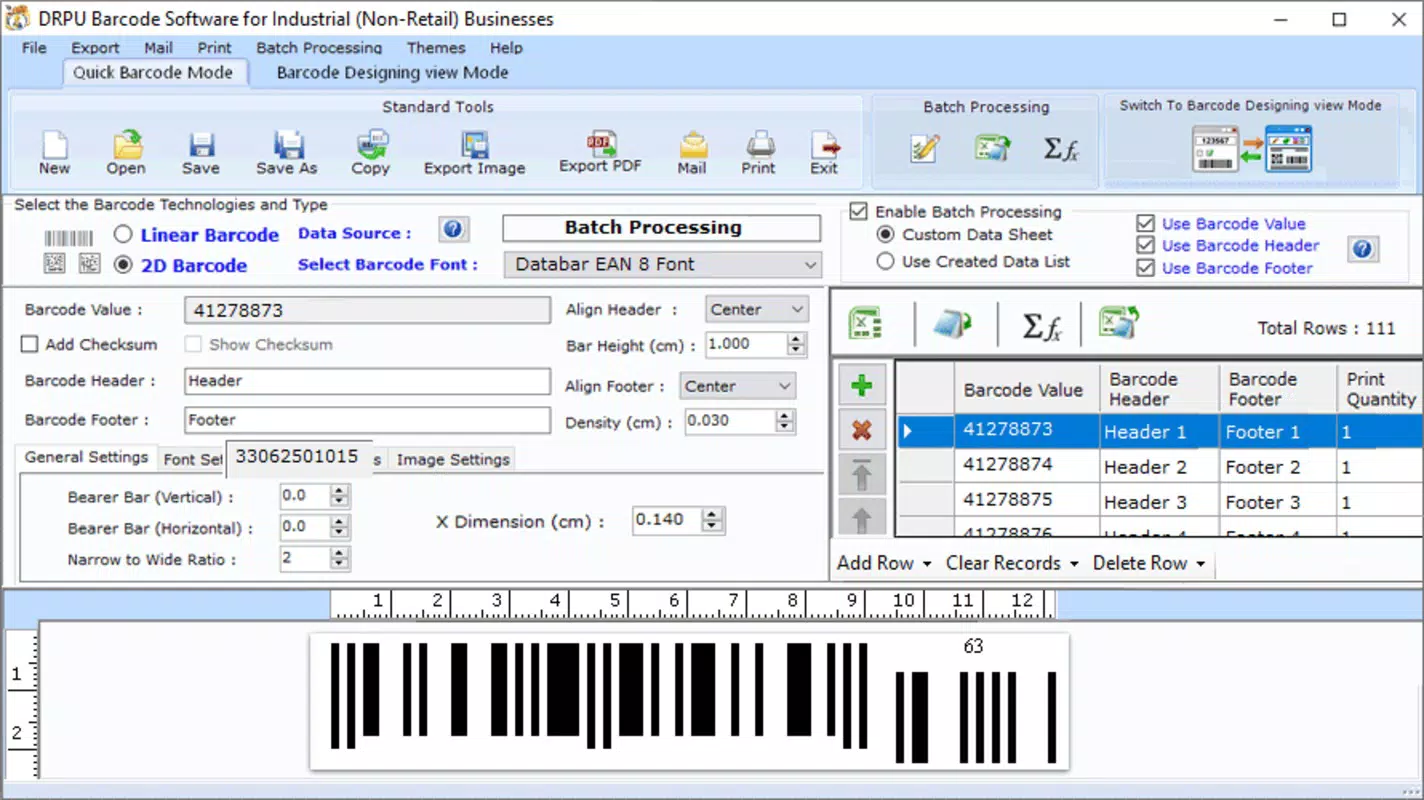
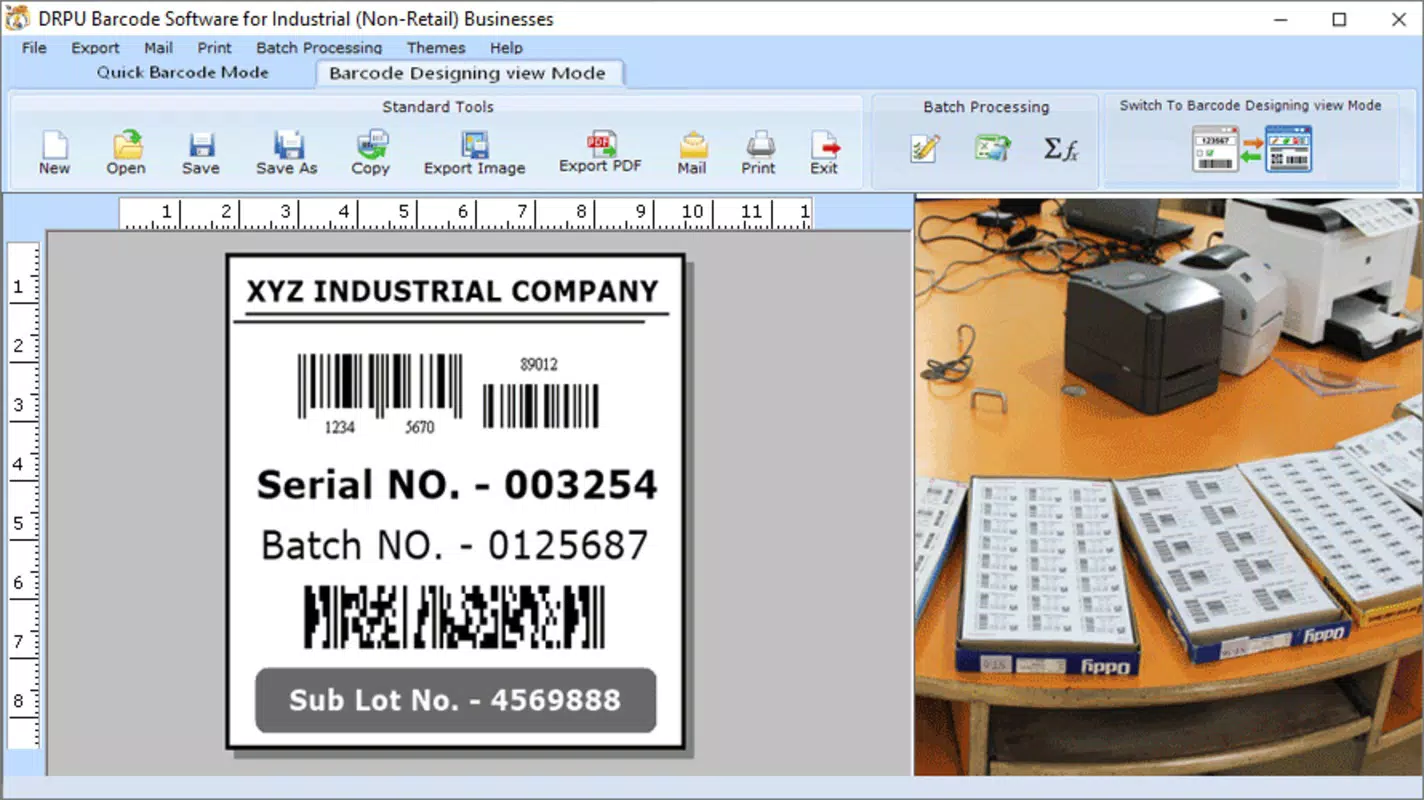
- Quick Barcode Creation: Users can generate barcodes rapidly using either Quick Mode or Designing Mode. Quick Mode simplifies the process by allowing users to select a new file and apply preferred barcode fonts, ideal for repetitive labeling tasks.
- Customizable Design Options: The app supports detailed design adjustments, including header and footer values, color schemes, and orientation settings. This flexibility helps maintain brand consistency and improves label readability across different operational contexts.
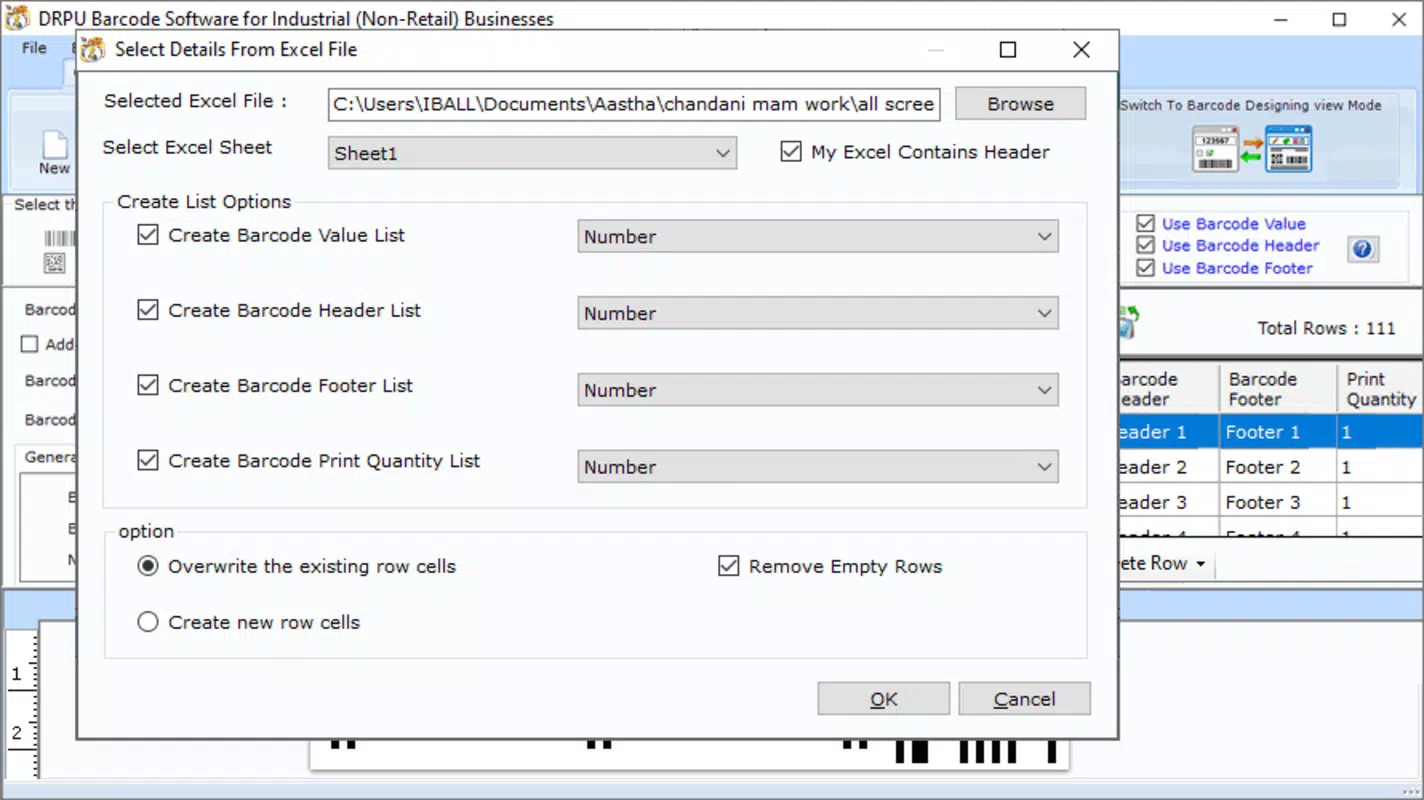
- Batch Processing Capability: A core strength of the app is its ability to process multiple barcode entries simultaneously. Users can import data from Excel files to produce large volumes of labels efficiently, reducing manual input errors and saving time in high-volume operations.
- Versatile Export Formats: Labels can be exported as PNG, JPG, or PDF files, ensuring compatibility with printing systems, digital documentation platforms, and cloud-based inventory tools.
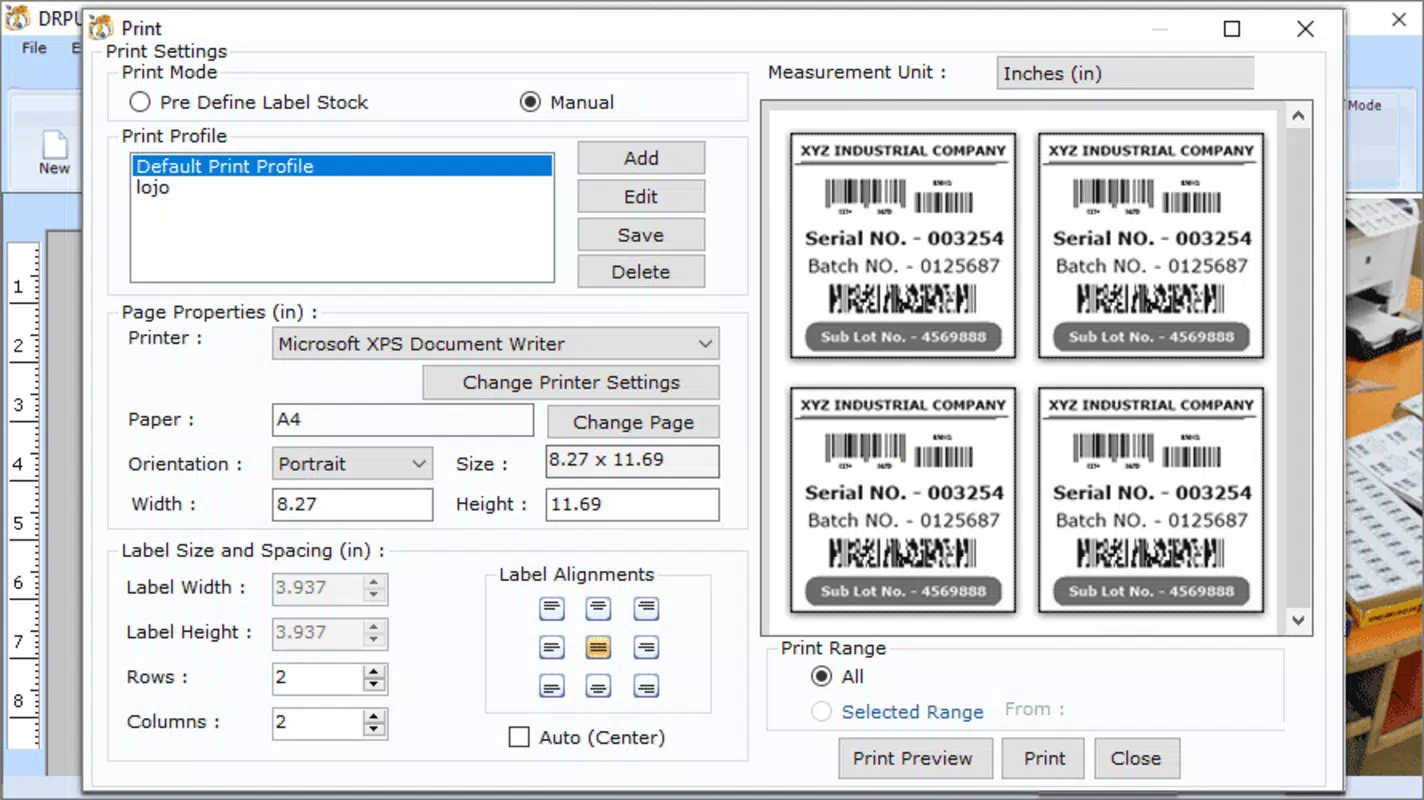
- Print Preview Feature: Before printing, users can review their labels in a print preview mode. This function helps verify alignment, size, and content accuracy, especially when working with predefined label stock, ensuring professional results.
For example, a warehouse manager preparing 100 shipment labels can import an Excel sheet with product IDs, use the app’s batch processing, customize the label layout, and export them as PDFs for print. This workflow demonstrates how the app enhances operational efficiency and reduces human error in logistics environments.
Interface, UX & Performance
The user interface of the Transport and Logistic Label Maker Tool is designed with functionality and clarity in mind. The layout prioritizes accessibility, with intuitive navigation that guides users through barcode creation, customization, and export steps. Visual elements are organized in a clean, structured manner, minimizing clutter and supporting quick task completion.
Navigation flow is linear and logical—users begin with data input, proceed to design customization, and finalize with export or print options. The app maintains consistency in button placement and menu hierarchy, which supports ease of use for both new and experienced users. Although the developer did not list formal performance metrics, the app’s lightweight size of 35.2 MB suggests efficient resource usage, likely contributing to smooth operation on a range of Android devices.
Responsiveness is expected to be strong across different device categories, from entry-level smartphones to mid-range tablets. Stability during batch processing and file handling appears to be reliable, given the app’s two-year presence in the market. However, specific performance benchmarks were not disclosed. The absence of reported crashes or user complaints in public records indicates consistent reliability under typical usage conditions.
Platform Compatibility & Technical Requirements
The Transport and Logistic Label Maker Tool is available exclusively on the Android platform. It is compatible with Android devices running the required operating system, though the developer did not specify minimum OS requirements. The app has a file size of 35.2 MB, making it suitable for devices with moderate storage capacity.
Users can download and install the application directly from the Android ecosystem. The app is currently free to use, with no in-app purchases or subscription models reported. While the exact version is 1.0.1, no further details about update frequency or future development plans were provided. Compatibility with specific hardware features such as printers or scanners was not disclosed.
Pros and Cons
Pros
- Supports both linear and 2D barcode formats for versatile labeling needs.
- Enables bulk label creation through Excel import and batch processing.
- Offers customizable design options including color, orientation, and header/footer settings.
- Provides print preview functionality to ensure accurate label output.
- Exports labels in multiple formats: PNG, JPG, and PDF.
- Lightweight size (35.2 MB) ensures compatibility with most Android devices.
- Free to download and use with no hidden costs.
Cons
- Platform availability limited to Android only; no iOS version reported.
- Specific OS version requirements were not disclosed.
- Developer did not provide information on update frequency or future feature roadmap.
- Integration with external printers or cloud-based inventory systems was not confirmed.
- No mention of offline functionality or data backup features.
FAQ
Is the Transport and Logistic Label Maker Tool safe to download?
The app is available for free on the Android platform and has been in use since 2022. While no third-party security audits were reported, it is distributed through standard Android channels and does not require elevated permissions beyond basic file access.
Can I use this app without an internet connection?
Yes, the app functions offline. It does not require an internet connection to create, customize, or export barcodes, making it suitable for use in warehouse environments with limited connectivity.
Does the app support printing directly to a label printer?
The developer did not specify direct printer integration. However, users can export labels as image or PDF files and print them using standard printing methods or compatible printer apps.
How often is the app updated?
The current version is 1.0.1. No information about update frequency or release schedule was provided by the developer.
Is the app compatible with iOS devices?
No, the app is currently available only on the Android platform. There is no official iOS version reported.
Final Thoughts
The Transport and Logistic Label Maker Tool stands out as a focused, efficient solution for professionals managing inventory and logistics on Android devices. Its ability to generate barcodes in bulk, support customizable designs, and export in multiple formats makes it a practical utility for warehouse and supply chain teams. The inclusion of a print preview feature enhances accuracy and reduces waste, while the free pricing model increases accessibility for small and mid-sized operations.
While the app’s platform restriction to Android and lack of detailed technical specifications may limit its reach, its core functionality is well-executed and directly addresses common pain points in labeling workflows. For users who need a reliable, no-frills barcode tool with strong batch processing and export capabilities, this app delivers tangible value.
Download Transport and Logistic Label Maker Tool now to streamline your labeling process and improve operational efficiency.


